TRKDevnet

Features

What TRK does

Everything below works today in the TRK command-line wallet on test networks. Phone screens are mockups of the upcoming mobile app and use example data.

Wallet

A local, self-custody Solana wallet. Create a new key or a BIP-39 recovery phrase (compatible with the standard Solana derivation path used by Phantom and Solflare), or import an existing phrase or secret key.

  • Keys are encrypted right away under your account email and password (scrypt + AES-256-GCM) and stored only on your device.
  • Transactions are signed locally. Secrets are never printed, logged, put in history or sent anywhere.
  • Receive with your address shown alongside a fingerprint and a QR code. Copying it checks the clipboard and clears it automatically.
  • Balances for SOL and all your SPL and Token-2022 tokens, plus an activity history.
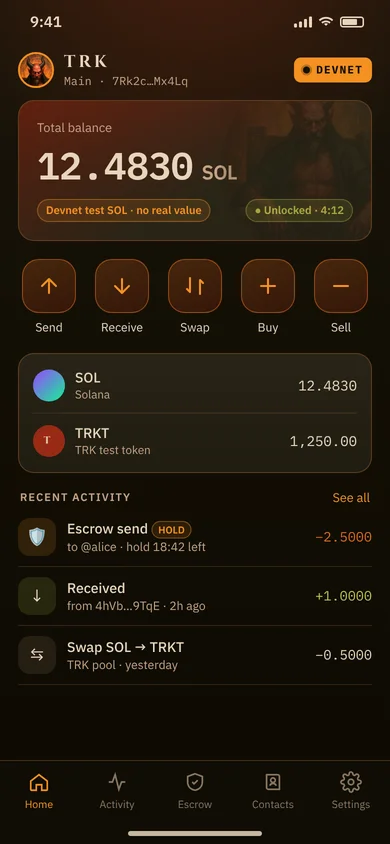
Mockup: home screen with balance and quick actions

Swaps, buys and sells

Swap through TRK's own on-chain pools (a constant-product AMM in the TRK program), or use the guided buy and sell flows.

  • Quotes show the rate, the 1% TRK fee, the 0.3% pool fee, price impact, expected output and minimum received.
  • Slippage protection is enforced on-chain: the swap fails instead of filling below your minimum.
  • Tokens that aren't on TRK's token list are labelled UNKNOWN MINT and need a typed confirmation.
  • Swaps are available on test networks only. Mainnet swaps are refused in this phase.

Token sends (SOL, SPL and Token-2022)

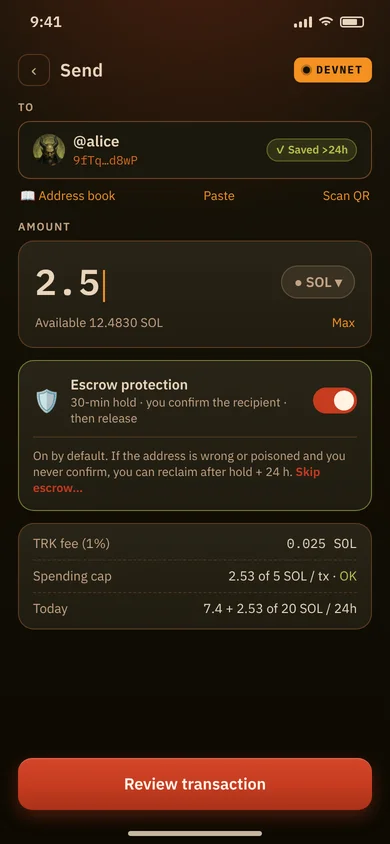
Send SOL, SPL tokens and Token-2022 tokens. Token sends use checked transfers with decimals enforced. If the recipient's token account is missing it is created, and the rent is shown.

  • Token-2022 safety checks block risky mints (for example permanent delegate, non-transferable or default-frozen) and show transfer fees.
  • The escrow program holds native SOL only for now, so token sends need the typed skip-escrow waiver.
Mockup: send screen

Escrow by default

SOL sends go through TRK's on-chain escrow unless you choose otherwise. The rules are enforced by the program, not only by the app.

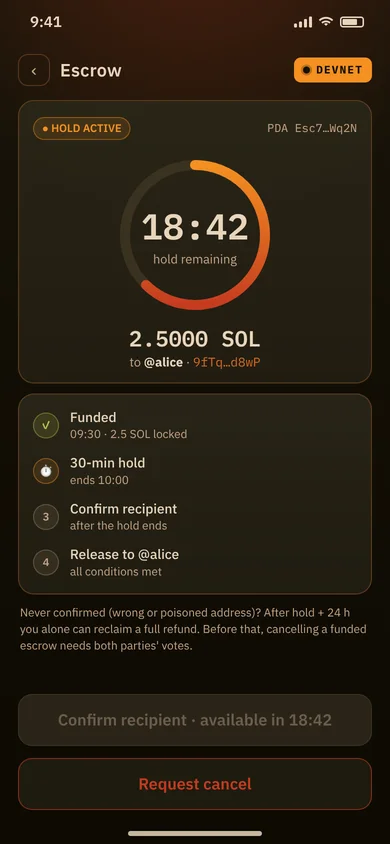
  • 30-minute hold after funding.
  • After the hold, you confirm the recipient. The program checks the address against the one stored in the escrow.
  • If you never confirm (for example a wrong or poisoned address), after the hold plus 24 hours you alone can cancel and get a refund.
  • Funds are released exactly once. A second release fails.
✖ OPTIONAL WAIVERSkipping escrow is at your own risk: no escrow protection, no 30-minute hold, no recipient confirmation. Blockchain transfers cannot be reversed. To send directly you must type I ACCEPT THE RISK, and the acceptance is recorded in your history.
Mockup: escrow hold countdown

Address book

An encrypted address book. Tampering is detected and a tampered book is refused.

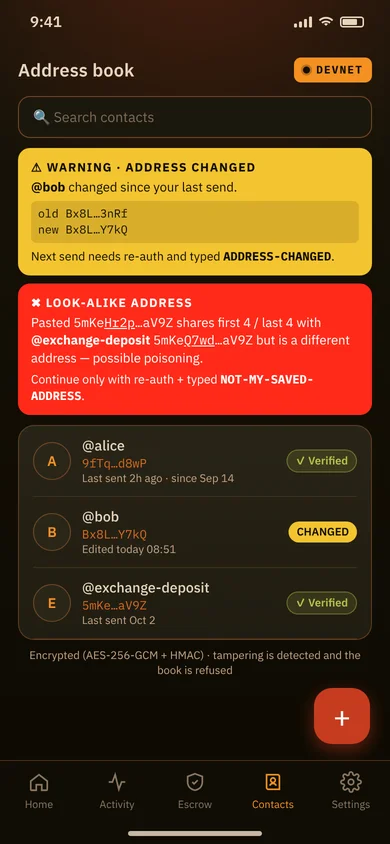
  • Changed address: if a saved address changed since your last send, you get a loud warning with the old and new address, re-authentication and a typed confirmation.
  • Look-alike address: if an address shares its first or last 4 characters with one you've saved or paid but is different, you get a warning, re-authentication and a typed confirmation. This defends against address poisoning.
  • You re-type the last characters of new addresses, and dust from look-alike senders is flagged.
Mockup: address book with warnings

Sign-in and authentication

Your account is email + password, kept locally. The password is the encryption secret and is never stored or transmitted. You get 10 recovery codes at sign-up and must confirm you've saved them before you can sign anything.

  • Password: strength-checked, with growing back-off after failed attempts.
  • Biometrics: optional quick-unlock after a full sign-in, within the same session.
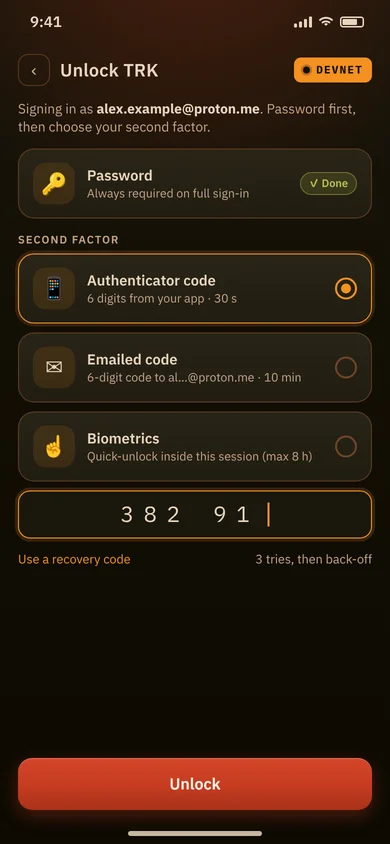
  • Authenticator code: optional 6-digit codes from an authenticator app (TOTP). Replayed codes are rejected.
  • Emailed code: an equal alternative to the authenticator. Codes expire after 10 minutes.

Sensitive actions such as exporting keys, enabling mainnet or raising caps need your password plus your second factor.

Mockup: sign-in method picker

Auto-lock

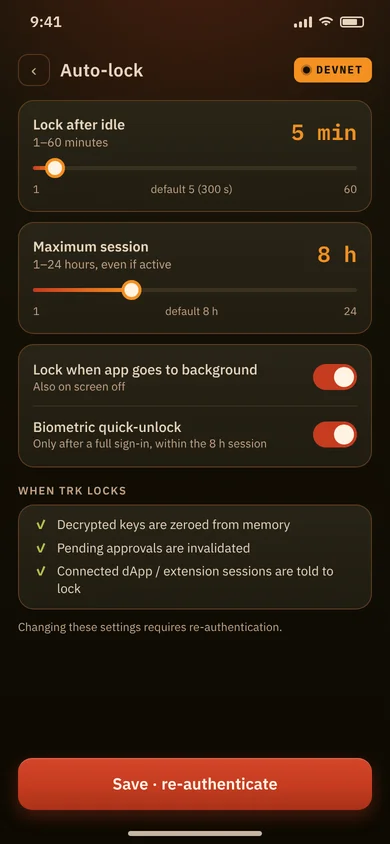
TRK locks after 5 idle minutes by default (adjustable from 1 to 60) and after at most 8 hours in total. On lock, keys are wiped from memory and pending approvals are cancelled. It also locks when you close the session, and you can lock manually at any time.

Mockup: auto-lock settings

Spending caps

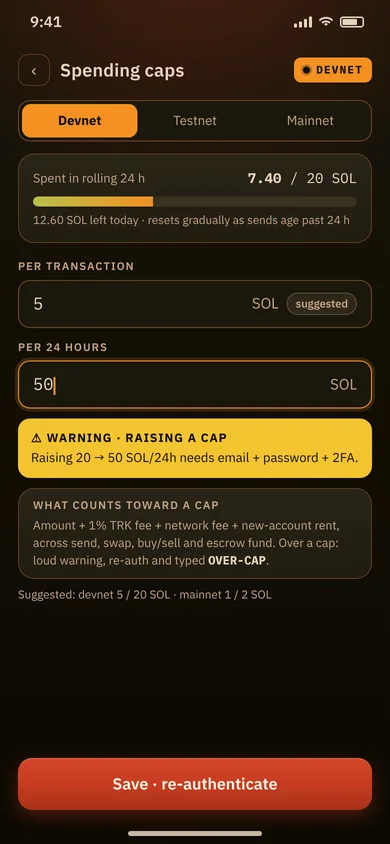
Set per-transaction and 24-hour spending caps per network when you create your account. Caps count the amount, the TRK fee, network fees and any account rent.

  • Over a cap: a loud OVER SPENDING CAP warning, re-authentication and a typed confirmation. Otherwise nothing is signed.
  • Raising or removing a cap needs your password (and second factor when enabled).
Mockup: spending caps settings

Mandatory transaction preview

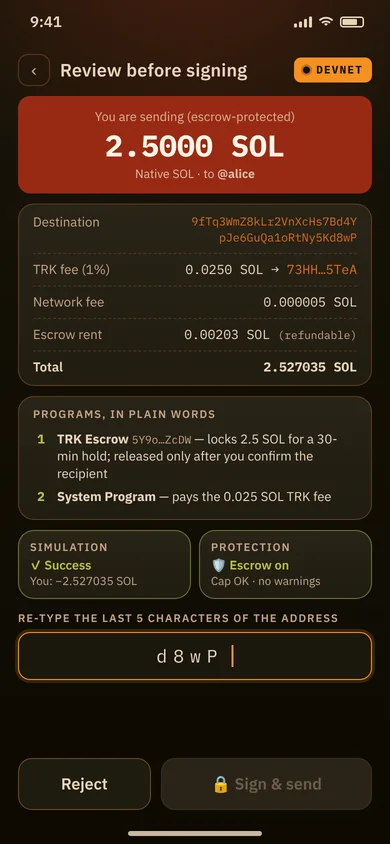
Nothing is signed without a preview, for every signature. It shows:

  • A plain-language summary of what the transaction does.
  • Amount and token, and every fee on its own line, including the 1% TRK fee.
  • Destinations and the programs involved, named in plain words. Unknown programs get a warning.
  • Simulated balance changes, the network badge and your spending-cap status.

The default answer is No. Dangerous instructions, such as handing over control of your wallet or token accounts, are hard-blocked.

Mockup: review before signing

Bot warnings (No-bots policy)

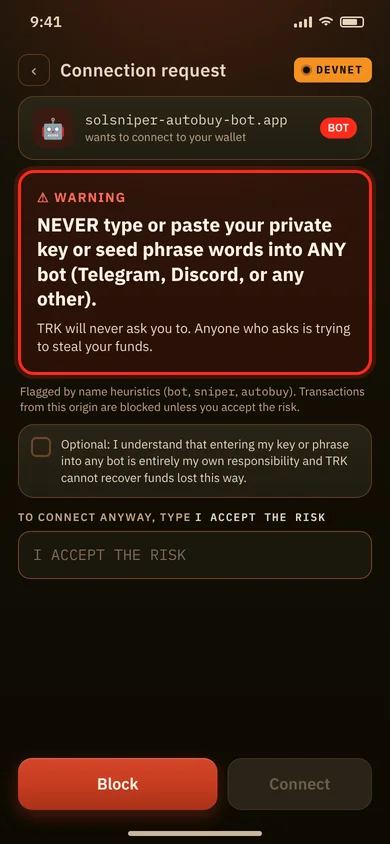
There is no auto-approval anywhere in TRK. Known trading-bot domains and handles are blocked with a warning, and automated paths are hard-blocked. If you open a bot-flagged link yourself, you see the full warning and must type I ACCEPT THE RISK to continue.

⚠ WARNING

NEVER type or paste your private key or seed phrase words into ANY bot (Telegram, Discord, or any other). TRK will never ask you to. Anyone who asks is trying to steal your funds.

Mockup: bot connection warning

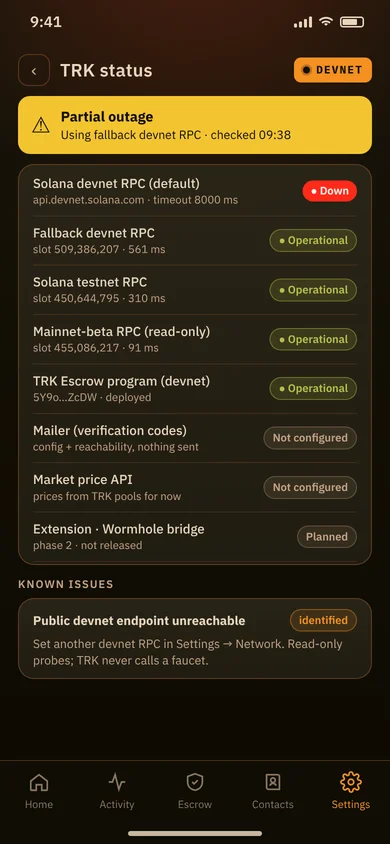
Status page

A public, read-only status page shows the health of the Solana RPC endpoints TRK uses and of its other services, plus incidents, known issues and update history. No sign-in needed.

Open the status page

Mockup: status page in the app

The 1% TRK fee, stated plainly

TRK charges a flat 1% on its own fee-generating actions: sends and payments, escrow funding, swaps (including buys and sells) and order fills, and outbound bridge transfers. The 1% is shown on its own line in every preview before you sign.

There is no TRK fee on transactions from external dApps or merchants, and none on things like closing accounts, claims or redeems.

Fee1% (capped at 1% by the on-chain program)
Fee recipient73HHVWeDYKvFvQLsMQJUAE45EWgg2TMpaTokrYYJ5TeA
Network feesPaid to Solana, shown separately